Friday, June 19, 2009

"Yes We Can" Because?


NOTE: I am cleaning up some of the partial posts I have been working on over the past few weeks.

Since the school year has ended and I have had a little more time to get to the thousands of feeds and other material that I have let build up over the past few months, I have unintentionally found myself at the flash point of how media is changing and how it will effect the educational process. I did the morning keynote presentation at the Harker Teacher Institute this past Wednesday, June 17. It was a great experience for me, since it was my first 'formal' keynote experience. I don't think they had any idea what they were getting with me, but overall I think the talk was pretty good. I had some friends in the audience 'tweeting' about it as it was happening and that brought what I was talking about into even more focus. The picture is one of the slides I had in my talk when I brought up Clay Shirky and his book, "Here Comes Everybody," which I think is a must read for anyone interested in learning about how the media landscape is changing. To get quick idea of what Shirky is advocating take a look at the video from TED linked here.

There were a few things about the talk that really struck me....

In the 20th Century most of the media was created by professionals and in the 21st Century most of the media is created by amateurs. The huge rise in User Generated Content (UCG) is linked to the fact that the media landscape of today is characterized by four things. Media is Global, Mobile, Ubiquitous and Cheap. The implications of this blow the doors open in education to have deeper, richer and more personal connection to others next door or on the next continent.

I am also going to suggest two books I am going to attempt to get through myself this summer. "Free: The Future of a Radical Price." This is Chris Anderson's follow up to his 2004 book, "The Long Tail. I am also going to post a short video below of what the book will attempt to illustrate.


The second book is: "The World is Open," by Curtis J. Bonk. From reading the initial reviews, it looks like an educational corollary to the Thomas Friedman's, "The World is Flat."

It will be interesting to see how each of these books lays out a new educational paradigm and how early adopters will leverage these tools to create new, dynamic learning environments.

Sunday, April 12, 2009

LifeBlob

It has been quite some time since I have posted on this blog for a variety of reasons... select the best reason for my length of time without posting.

1) Too busy being the Vice Principal at Woodside High School

2) Too busy working on curriculum for a variety of projects.

3) Too much e-mail and blog entries to get through to have something to write on. (Finishing Spring Break today and I had over 1,000 entries in my Google Reader account and at least 30 response necessary e-mails in my 'In Box.')

4) Too busy playing on Facebook and/or Twitter.

Well, given the fact that I have had a week off and have been able to catch up on everything, I have found a few cool things that I will share with you. One of these things is 'LifeBlob,' which is an online time line for any events you want to place in the time line. The LifeBlob that is shown below is the time line for all of the posts on this blog. You can upload content from 'YouTube,' 'Flickr,' 'Picasa,' or 'Twitter.'


I can think of many different projects in Social Science, English and Science where an online annotated timeline would assist students in constucting their own linear progression of events and/or actions. The strength of a LifeBlob is the practice of constructing the timeline and applying knowledge in a real and visual way. It is different from recreating or memorizing a timeline created by the teacher or text book publisher.

Monday, January 19, 2009

What I saw at CLHS.....


I just returned home from speaking at the California League of High Schools Statewide conference this past weekend and it was a different experience for me for many reasons. First, I usually attend and speak at Educational Technology Conferences and gatherings, so I usually know that my attendees have come to the conference to... "Get their Geek on!" They are a willing and receptive audience and usually have some interest or have done some work in educational technology. They are there to learn the latest and greatest things and what others are doing in the field. The groups I spoke to this past weekend were different, in that there were some who fit the EdTech profile, but there were others, some "who hadn't drank the kool-aid" yet, but knew it was time they did so. For this group, I got the feeling that my sessions were "like bringing water to the desert."

Secondly, there was an overriding feeling that the current state of affairs in education is about to undergo a significant and trans formative change. Whether it was the impending inauguration of President Obama and the bringing to Washington his basketball playing friend, Arne Duncan, as Secretary of Education or the general feeling that the system does not meet the needs of the current students any longer and the rank and file teachers know it.

I asked the people attending my sessions a few general questions, the first question that I usually ask to gauge the receptiveness of the teacher and school district is whether 'YouTube' is blocked. I usually get 'yes' responses in the 70% - 75% range when I ask this question at EdTech Conferences, this past weekend the responses were solidly over 90%, approaching 100%. As I went through each of my sessions, which were on varied EdTech topics (Blogger, VoiceThread and One Hour Website), I had at least one person stop me and ask, if I would come to their district and speak to their administrators about Educational Technology.

When I was a Technology Coordinator, I had a great deal of autonomy. (Thanks, Tess!) For a variety of reasons, the first being that I just did what I felt needed to be done. If there was an educational justification for it, I did it! I didn't ask all the time, I just did it, and there were some occasions where I had an administrator wag their finger at me, but that was about it. The Assistant Principal that was supposed to oversee me, quickly became overburdened with my constant requests and pestering for change that he moved aside and let me go. But I did meet some resistance once I got to the District level and this is why I eventually recognized why I had to move into Administration. I could go on and on about some of these issues and how I eventually got my way or was still fighting the good fight when I left for Woodside, but that doesn't serve the ends we need to get to, which is having ubiquitous access to Internet resources at every school in every country around the world.

So, the question I am asking is this... What do you want me to tell your Administrators? What do you need to make ubiquitous access happen in your school? What resources do you need?

I am going to take your responses and develop a series of talks specifically aimed at administrators, to get them on board and move the entire process forward.

I am looking forward to hearing your responses, so we can 'bring water to the desert' and create oases of how education should look like in the 21st Century. More to come...

Tuesday, December 30, 2008

EdTech Camp

So, call me crazy!  One of the ideas that I have been rolling around in my head over the past few weeks is to hold a EdTech Conference at Woodside High School, where I became the Vice Principal this past July.  Now, this conference wouldn't be massive like CUE, or intimate like a Monterey CLHS/CUE conference, but would be more like a collaborative experience for those people who are already innovators in the Educational Technology field.  I understand that many of the headliners, make their living this way, but I wanted to have something that would bring all of the innovators together in one place for three days and allow the group have some synergistic energy to tackle some of the issues surrounding EdTech and its implementation, or lack thereof in the schools of this country and around the world.
If you want to visualize it, think of a TED like conference or a FOO camp for just for those people working as innovators in the Educational Technology field.  The location is great as well, since Woodside High School is one mile from Sand Hill Road the cradle of Silicon Valley Venture Capital Firms and the weather during the Summer months is great.  San Jose and San Francisco are 25 miles away in opposite directions.

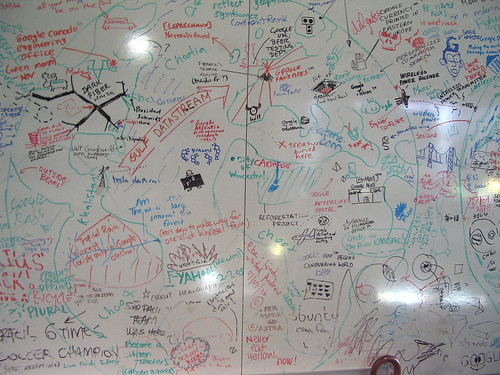
The idea came from a connection I had over the past year after having been a participant in the Google Teacher Academy (November '06) as an attendee and as a Lead Learner (June '08) and seeing the large whiteboard in the lobby at Google with all of the ideas on it and how employees were using their 20% time to create new and innovative projects that interest them, which have become new Google products.  The image stuck with me again last summer when I saw the movie 'Accepted,' where two High School seniors create a ficticious college to accept them and then create the college to keep the charade going.  What the students found out in the process was that they were more motivated to learn when the constraints placed on them by traditional educational institutions were removed.  Although it doesn't exactly fit, one of Clay Shirky's quotes comes to mind. "Social Tools don't create collective action, they merely remove the obstacles to it."


Attendance would be limited to 600, with 500 receiving invites and the other 100 being selected through an application process.  Participants would be responsible for their own travel and lodging.  The cost for attendees is $0.

Call me crazy?  Maybe crazy enough to make it work?

Monday, December 29, 2008

Top 50 Skills the Tech Savvy Educator Needs to Have

(Image:Martin Kingsley via Flickr)

I have been mulling this post in my head over the past few months for a few reasons.  First of all, as I speak at different educational technology conferences, I see teachers at many different places along the skill continuum with regards to tech skills and there wasn't consensus as to which skills were really the most valuable for teachers.  Secondly, as a new administrator, I wanted to have a list of EdTech skills I could use during the interview process to be able to objectively evaluate potential candidates for teaching positions at my school.

So, I started the process of developing a list, I didn't initially start out to list 50, but to list the skills I felt were necessary for teachers to have, which would allow them and their students to take advantage of the tools and services available.  I just started typing in a 'Word' document and quickly the list grew to over 40 skills, so I decided I would get to 50 and stop there.  I put the skills into 6 different categories to make it easier for me to assess strengths and areas for improvement quickly.

So, here's my list, I am not saying that the list is definitive, but I do think it is solid.  As you look at the list, which skills would you delete or add?  I am interested to hear what others think, since I tend to have higher expectations for teachers.


- Google: (10)
-  turn on ‘safe search’
-  use Google as a dictionary
-  use Google as a calculator or conversion tool.
-  search web pages from a particular domain
-  search web pages from a particular country
-  search for particular file types.
-  determine the sites linked to a particular site.
            -  search for non-copyrighted material.
-  set up a Google Alert.
-  translate text into another language


- Google Apps / Tools: (5)
            -  set up an RSS reader. (Google Reader, Bloglines)
-  set up a Google Group
-  create a Google Spreadsheets form.
            -  put a place marker in Google Earth.
-  save a Google Earth file. (.kmz)
- Internet: (8)
            -  decode an Internet URL
-  find the owner of an Internet domain.
- download a document or image from an Internet site.
-  view a historical version of a web page.
-  compare the traffic of two different web sites.
-  create a blog.
-  create a wiki.
-  set up an online calendar.
- Image / Videos: (4)
-  download/upload images to an photo sharing site. (Flickr / Picasa)
-  download a ‘YouTube’ or other video service video
-  embed media into a webpage, blog or wiki.
-  create an online slide show.(VoiceThread, Photostory, Animoto, Picasa Web Album)


- Communication: (6)
-  send, receive and respond to e-mail.
-  attach a file to an e-mail
-  send e-mail to multiple recipients and how to use copy and blind copy
-  use an Instant Messaging Client. (AIM, Google Chat, Yahoo Messenger)
-  set up a microblog (Twitter, etc.)
-  set up an Internet ‘phone call.’ (Skype)
-  set up a video chat.
- Cell Phone: (3)
            -  use your cell phone to send a text message.
-  use your cell phone to search Google. (SMS)
-  upload images from your cell phone to the Internet.
- Personal Computer Management: (13)
-  cut and paste from/into any Office Productivity Application (Microsoft Office, Open Office) document.
- crop an image
- create charts and graphs in any spreadsheet application
-  copy text data and paste it into a spreadsheet so it can be manipulated or sorted.
-  convert any office productivity document into a file type usable by another application.
-  create a .pdf file.
-  create a mail merged document.
-  add media to any presentation application. (PowerPoint)
-  save any document to a flash drive.
-  burn data onto a CD.
- convert audio files into MP3’s.
- do basic computer troubleshooting .(Physical, Hardware, Operating System)
-  test an Internet connection. (ping)


I am interested to hear your responses...  please leave a comment or e-mail me here.

Monday, December 22, 2008

Are You Willing to Take the Opportunities?

“We are all faced with a series of great opportunities - brilliantly disguised as insoluble problems.” - John Gardner, Founder - Common Cause and former Secretary of Health, Education and Welfare.

 This is one of the quotes that Thomas Friedman uses to start the second half of his new book, "Hot, Flat and Crowded."  Just as we face many issues in dealing with Global Warming and the depletion of fossil fuels on the planet, we also face many issues in education that necessitate the change from the standard 5 rows of desks inside a classroom, with students reading from a standardized text book, following along with a teacher who is probably following the same lesson plan they developed ten years ago.
As the most technologically savvy country on the planet (allowing us to have an ego!), we need to play to this strength to solve the problems of global warming and in education.  Unlike the world of "Green" industries that are in their infancy, many of the technologies that can transform education are in their teens, metaphorically speaking.  Which means, we have seen these devices develop and we have a good idea what they will look like when they have fully matured and reach adulthood, but there is still some opportunities for change.
The tools that will power the change in education are known to a certain extent, in the fact that we are quickly seeing a convergence of technology tools at a price point which will make them affordable and accessible for most teens to own.  We have all seen the XO Laptop ($100 Laptop), ASUS Eee PC and the new Acer Aspire One, all of which have a price of less than $350.00 and have the full functionality of a standard laptop.  There are also mobile devices like the iPhone, LG Dare, G1 and the BlackBerry Storm that have many of the functions of a laptop with access to the Internet via a 3G mobile network.  Want proof of this convergence?  Animoto, the music video slide show site, has recently launched a version for the iPhone.
We need to think of these mobile technologies as 'leap frog' technologies, just as most of the developed world 'leap frogged' the wired telephone in their homes and went directly to cell phones which don't need a cable.  In the personal computing market, many teens may or may not have their own computers, but a vast majority of them will have cell phones (current data states 80% of all 13 to 18 year olds)  and it is the primary mode of communication for most of them, if you look at voice and text services. (Video Here illustrating this point.)  The current survey states that 15% of all teens already have 'smartphones' and with the current two year replacement cycle of cell phones in the US, the numbers of teens owing 'smartphones' will rise dramatically by 2010.

So, what does this mean for education?  We have a good idea as to what kind of devices students in our classes will have and some of the basic functions they will have, which will continue to expand as each of the mobile carriers develop 'App Stores' for their phones, allowing third-parties to develop and market applications for their devices. Educators need to develop ways for students to use these devices in ways to authentically assess their proficiency.  Liz Kolb's blog, "From Toy to Tool: Cellphones in Learning" is a great resource with many different ways to use cellphones in the educational process.  Here are just a few...
Camera, video camera, voice recorder, search engine, polling responder, speech to text messaging, mobile blogging, to do lists, etc.  The number of applications available will continue to expand, so for the tech savvy educator it is imperative that you learn how to best integrate these devices into your curriculum.  You can even deliver or share content with your students via video or podcasts they can access from their phones.  For the tech savvy administrator, you need to find those teachers who are moving in this direction and give them the encouragement and support to keep developing ways to integrate these devices into the curriculum.  I know as we start looking forward, we will be looking for teachers who have the skill and desire to move in this direction.

Your comments and suggestions are welcome...  If you have ideas of how to integrate cellphones or smartphones into the curriculum, please drop me a note!

Saturday, December 20, 2008

Processing Ideas


It has been awhile since I have been able to post on this blog, and the ideas have been piling up.  Being a high school adminsitrator just doesn't give me the time to blog like I have had in the past.  I have been able to keep up on most of the blogs I have followed in the past and read some books, but I haven't been as active in the Google Certified Teacher's Group as I had been prevously and I haven't 'tweeted' on Twitter as much either. That was one of the interesting side notes of my visit to Monterey earlier in the month, when I presented at the CLHS/CUE conference there.  I had several people come up to me specifically to mention that they had noticed my absence from the blogosphere and the 'tweetsphere.'   I was also impressed with the turn out I had in my one 3 hour session in Monterey,  I had a triple sized room and eventhough I was the first thing on the agenda and not many people had arrived at the conference yet, I had a nice group that stuck with me the whole way through.  If you were one of those who was in my first session in Monterey, thank you!

One of the goals of the Winter Break from school is for me to get some things done for school, but also to get some of the ideas that have been running through my mind out and posted here.  I have things like "Filtering is Fallacy," "The 50 Skills Tech Savvy Teachers Must Have" and "Using a Crane to Lift Teachers from the Stone Age" as potential blog post titles.  I have written a little on the filtering issue in the past and hit it hard during my last two presentations at the Monterey conference and in a private session with teachers in Piedmont.  The 50 list came to me one afternoon when I was sitting at home spacing and I was actually able to pull over 40 skills off the top of my head in about 10 minutes.  Thinking about a film showing the 50 skills in small screen casts mashed up together. 

I am also prepping for a few one hour sessions at the CLHS statewide conference in Monterey in January on Website in an Hour and VoiceThread for Educators. 

Nothing like being on vacation to get some work done....