
Saturday, June 11, 2011
Transferring the Model Downward
While many college students have had the opportunity to take online classes, those opportunities have been very limited for high school students. Most school districts have looked for ways to make sure the education students receive in these courses meets their standards. This is something that is going to happen, the only questions we need to answer is when and how? Take a look at this infographic to see where online education can make additional inroads into the high school arena.
Via: OnlineEducation.net


Sunday, April 03, 2011
The Tool Box of the Internet has Gone to the Birds
We have finally arrived.... We are free and most of us don't even know it.

Software and compatibility issues have been a thorn in the side of educational technology for years. I can remember when I was a Technology Coordinator and a student would get a new computer for Christmas and sometime in January or February of the next year they would bring in a disk with a paper that they had typed on their new computer and try to print that paper at school. The paper wouldn't print.... why? Because most PC's came with Microsoft Works, instead of Microsoft Office, which was the word processor that was installed on the machines at school. There were several ways to work around this, but it was difficult and frustrating for both the student and their teacher. It reinforced the idea in the minds of students and teachers that using technology in class was hard and difficult. This was also an issue that occurred on Macintosh computers as well, since there were many schools where the only Apple based computers were in a lab dedicated for some type of creative content creation. (Video, Graphics, Multimedia, etc. ) This is no longer the case..... The issues with Microsoft and Apple will still exist, but one simple way around it is to use Google Docs and other Google Tools. If you have Google Apps for Education, you have some pretty cool free instant add-on's that will provide even more tools and services for FREE.
So, looking at all of the things that schools and students spend their money on, software is no longer something they should spend their money on for students or teachers. Google tools are also better because they are available 24/7/365, absolutely anywhere there is a computer and an Internet connection. (See my last post about "Where are Your Black Holes")
Here are the applications that most schools currently use and what are their free Google equivalents.

- Microsoft Word - Google Documents: Can upload and download .doc and .docx files.
- Microsoft Excel - Google Spreadsheets: Can upload and download .xls and .xlsx files. There are fewer functions available in the Google Docs version of the spreadsheet, but it is enough for most users. There are also some very cool Google Formulas you can use.
- Microsoft PowerPoint - Google Presentations: Can upload and download .ppt and .pptx files. One of the benefits of Google Presentations, is that it is much easier to add images and video into your presentation.
- Besides the typical applications, Google also has G-Mail, Calendar and Sites, which all integrate with the other Google Apps. For example, you can attach a document to a Google Calendar entry or you can integrate a Google Form, a YouTube Video or a Google Calendar into a Google Site.

-Speaking of YouTube, there is a new online YouTube Video Editor that allows anyone to upload their video from any source and edit it online. There are some music you can add and some basic transitions you can use between clips, but to teach the basics to video editing for students this is a great introduction.

The newest set of Google Tools comes from another company that has intentionally built their set of tools to quickly and nicely integrate into the Google Apps platform. The Aviary Suite of content creation tools. If you have a Google Apps EDU domain, you can even have the Aviary Suite integrate into the Google Docs menu and you can save all of these files in your Google Docs account.
- Photoshop (picture editing) - Google does basic image / picture editing with Picasa and Picnik, but in Google Apps EDU you can add on Aviary and use the Phoenix and Raven applications within Aviary to create layer based vector graphics like Photoshop creates.
- Screen shots: Microsoft and Apple both have basic screen capture tools within the operating system and there are some good free tools like "Skitch" to do screen shots and then edit and annotate them, but you can also use Falcon and Talon from Aviary, which are add-on's for the Firefox and Chrome browsers that will produce screenshots and the tools to annotate them.
Garage Band / Audacity - Aviary also has tools to edit Audio and create Music. Roc for music creation an Myna to edit audio files for podcasts.
So, with all of these free tools, there is no limit as to what you, and your students, can do with a computer and an Internet connection. Everything I have mentioned in this post is free. What could you do? What will you do? How will this change the way you teach? I would like to hear from you. Post a comment with your ideas and suggestions.

Software and compatibility issues have been a thorn in the side of educational technology for years. I can remember when I was a Technology Coordinator and a student would get a new computer for Christmas and sometime in January or February of the next year they would bring in a disk with a paper that they had typed on their new computer and try to print that paper at school. The paper wouldn't print.... why? Because most PC's came with Microsoft Works, instead of Microsoft Office, which was the word processor that was installed on the machines at school. There were several ways to work around this, but it was difficult and frustrating for both the student and their teacher. It reinforced the idea in the minds of students and teachers that using technology in class was hard and difficult. This was also an issue that occurred on Macintosh computers as well, since there were many schools where the only Apple based computers were in a lab dedicated for some type of creative content creation. (Video, Graphics, Multimedia, etc. ) This is no longer the case..... The issues with Microsoft and Apple will still exist, but one simple way around it is to use Google Docs and other Google Tools. If you have Google Apps for Education, you have some pretty cool free instant add-on's that will provide even more tools and services for FREE.
So, looking at all of the things that schools and students spend their money on, software is no longer something they should spend their money on for students or teachers. Google tools are also better because they are available 24/7/365, absolutely anywhere there is a computer and an Internet connection. (See my last post about "Where are Your Black Holes")
Here are the applications that most schools currently use and what are their free Google equivalents.
- Microsoft Word - Google Documents: Can upload and download .doc and .docx files.
- Microsoft Excel - Google Spreadsheets: Can upload and download .xls and .xlsx files. There are fewer functions available in the Google Docs version of the spreadsheet, but it is enough for most users. There are also some very cool Google Formulas you can use.
- Microsoft PowerPoint - Google Presentations: Can upload and download .ppt and .pptx files. One of the benefits of Google Presentations, is that it is much easier to add images and video into your presentation.
- Besides the typical applications, Google also has G-Mail, Calendar and Sites, which all integrate with the other Google Apps. For example, you can attach a document to a Google Calendar entry or you can integrate a Google Form, a YouTube Video or a Google Calendar into a Google Site.


The newest set of Google Tools comes from another company that has intentionally built their set of tools to quickly and nicely integrate into the Google Apps platform. The Aviary Suite of content creation tools. If you have a Google Apps EDU domain, you can even have the Aviary Suite integrate into the Google Docs menu and you can save all of these files in your Google Docs account.
- Photoshop (picture editing) - Google does basic image / picture editing with Picasa and Picnik, but in Google Apps EDU you can add on Aviary and use the Phoenix and Raven applications within Aviary to create layer based vector graphics like Photoshop creates.
- Screen shots: Microsoft and Apple both have basic screen capture tools within the operating system and there are some good free tools like "Skitch" to do screen shots and then edit and annotate them, but you can also use Falcon and Talon from Aviary, which are add-on's for the Firefox and Chrome browsers that will produce screenshots and the tools to annotate them.
Garage Band / Audacity - Aviary also has tools to edit Audio and create Music. Roc for music creation an Myna to edit audio files for podcasts.
So, with all of these free tools, there is no limit as to what you, and your students, can do with a computer and an Internet connection. Everything I have mentioned in this post is free. What could you do? What will you do? How will this change the way you teach? I would like to hear from you. Post a comment with your ideas and suggestions.
Saturday, March 26, 2011
Where are Your Black Holes?
The video above, from the TEDxNYED (Technology Entertainment Design x New York EDucation) Will Richardson talks about the importance of the Internet on the lives of our children. Will talks about how our children use the Internet to learn on their own, without the use of teachers. They search the Internet to solve real problems, as they occur in their lives. It could be as easy as who was the 16th President of the United States, or as complex as how to solve a quadratic equation with multiple coefficients. In this video, Will talks about how his daughter learned how to play Journey's "Lights" on the piano. As teachers, we need to realize that this is the way our students learn and in turn, how can we best teach our students given their desire to be constantly connected to a variety of electronic resources.
So, to bring this back to the issue of equity and access, how can we level the playing field and make sure that all students have access to the wealth of resources that are available to them on the Internet? We have between 85 and 90% of the students we teach carrying cell phones and most of these devices can access the Internet. The cost of computers, especially netbooks and tablets are low and are continually dropping closer and closer to the $200.00 mark. Free access to the Internet is becoming more and more available, yet there are several areas where this access is lacking. The map below, taken from Ji-Wire (www.jiwire.com) a site that shows free and paid wireless access for any area around the world, shows a large area in the Woodside High School attendance area that does not have any access to free wi-fi access. Why? The area that is outlined is an area that has plenty of retail businesses and homes, but it is a lower socio-economic area.

This to me is a "black hole." A black hole where the light of the information available on the Internet does not enter. The people who live in this area are more than likely, people of color and mostly Latin American. One of the more pressing issues facing education is how to bring light into the Black Holes that exist in our communities. Can we talk to the public libraries, Boy's and Girl's Clubs, YMCA's and other public agencies to provide free wireless access in their buildings for students? Can we talk to the independent coffee shop, ice cream store, fast food restaurant to add free wi-fi or to open up their existing wi-fi for their customers, mostly the students we teach.
So, where are your "Black Holes" and what can you do to bring light to them?
3/30/11 - One of the things I left out in the post was that one of our district's "Black Holes" was the city of East Palo Alto, but there is some light there now with the Wifi101 project, that has blanketed the community with free wi-fi with towers on public buildings and apartments where the owners have granted them space. The group also takes in computers and refurbishes them and donates them back to the community.
There is another group doing this in the city of Richmond, across the bay from us. Building Blocks is a non-profit that provides computers and Internet access to families who could not afford their own access. Here is a video about their project in Richmond.
Wednesday, February 09, 2011
2011 - The Year Education becomes Flat

As most professional educators know, it takes 5-7 years for things that are common place in business to even get a basic or cursory usage within education. Well, that is where we are now....
The 10 Flattners that Friedman spoke about in "The World is Flat" were directly related to society as a whole and the first three directly related to historical events that occurred to create the openness necessary to allow the final 7 "flattners" to take place. The first flattner, "The fall of the Berlin Wall," is an extremely important event, because it eliminates the competition of socialist societies. In education, we are wholly controlled by the government from management to funding, therefore any advances that run contrary to the current government structure are banned. The one flattner, that has had the greatest affect on education is the rise of Open Source and Free Software. Friedman talks about software like the development of the Netscape web browser and the development of other open source projects like the Apache web server software and Linux operating systems. Now, we are seeing a convergence of many of these tools into one, which has brought the price of Internet connected devices down and made them more common place than they had been before. The most interesting of these new devices is the Chrome Notebook. It is a netbook computer, which has retailed for as low as $250 with Windows pre-installed.
A Chrome netbook, is running the Google Chrome operating system, no Windows, and runs much faster than typical devices because all of the data is stored on Google's Internet servers. The anticipated cost of a Chrome Netbook is expected to be in the $250 range. If Google could deliver this to school at a cost less than $200, it would be a game changer.
Here is an explanation of the Chrome OS.
I am also going to take a look at the equity and access issues in society and how things are quickly becoming more and more accessible for all and they are all FREE.
Sunday, January 02, 2011
New Year - New Tech Strategy - Week 1
With the beginning of the New Year, we all make some resolutions that we want to make this year a bit better than the last. I am no different in this regard, I tweeted this afternoon that my New Year's Resolutions were to Tweet once a day, Blog once a week and to work on being healthier by joining Steve Dembo's Fit42 Fitness Challenge. I am hopeful that I will be able to achieve all of these goals. In the Blogging arena, I am going to resurrect this blog. I had posted regularly between 2005 and 2008, but when I took the position as the Administrative Vice Principal at Woodside High School, it left me little time to blog.
I have continued to present at a variety of Education Conferences in California and I have done some presentations for CUE, in their CUE to You program. I was also elected to the CUE Board of Directors in April 2010, so I have continued to be very active in the EdTech community, but I have been less on the cutting-edge than I had been in the past and I realized that I very much miss the implementation of new and emerging technologies in the educational process and having conversations with my colleagues, local and around the world. I am hopeful that this blog will allow me to jump back into the conversation and re-engage with all of you.
With that said..... here we go!

One of my rallying cries over the past several years has been to increase the amount of technology that is used as part of the educational process. I have been a huge proponent of this since the mid-1990's. I have always had to deal with some teachers that refused to integrate technology into their classes for a myriad of reasons. One of which was always access and the other was that because they were "seasoned" teachers they couldn't learn how to use technology like their younger counterparts. Teachers in this group typically held up copies of Marc Prensky's "Digital Natives, Digital Immigrants," as a justification of their position. While I think that Marc Prensky is an intelligent man, I want to let him know that while he may have just identified behavior that he observed in educational settings, he set the integration of technology into education back at least 5 years. I know that there are other factors that come into play, including: unions, finances, professional development, standards, NCLB, etc., but the "Digital Natives, Digital Immigrants" gave teachers the easy out.
I have continued to present at a variety of Education Conferences in California and I have done some presentations for CUE, in their CUE to You program. I was also elected to the CUE Board of Directors in April 2010, so I have continued to be very active in the EdTech community, but I have been less on the cutting-edge than I had been in the past and I realized that I very much miss the implementation of new and emerging technologies in the educational process and having conversations with my colleagues, local and around the world. I am hopeful that this blog will allow me to jump back into the conversation and re-engage with all of you.
With that said..... here we go!
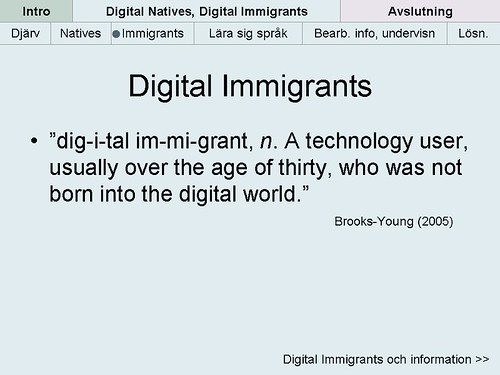
Next week.... Access, Access - 2011 is going to be the year when we get so close to "ubiquitous access" and there won't be any more excuses.
Sunday, August 29, 2010
The First Penguin

In most computer science fields, those who are really at the cutting edge of the field have to take risks. Many times expending time and energy in projects that won't work. To recognize his students who were attempting to create something new and exciting, but failed to get the desired result, he created the "First Penguin Award." (p.148-149) When in the Antarctic, Penguins travel in groups, but there always must be a "First Penguin" that dives into the water without knowing what is there. There could be predators that could quickly feast on that first penguin, but the first penguin also gets an opportunity to make a mark in the field and learn so much in the process. Randy would award the group in his class with the most spectacular failure a stuffed penguin as a recognition of their efforts.
In the Educational Technology field, there are plenty of "First Penguins" out there, who can assist those coming into the field in how to navigate through the issues that arise anytime you try something new as an educator. Randy starts the section with the quote, "Experience is what you get when you didn't get what you wanted." Some have had some huge successes after some initial failures, and some continue to be that "First Penguin" working to make a difference in a field where the institutional predators are often times the most dangerous. When I eventually become a principal at a high school, I will be looking for some "First Penguins" to come to my school. Fortunately, I will be able to give them some assurances that I have cleared the water of some of the typical predators.
Friday, July 09, 2010
Sifting Through Infowhelm

Over the past several months I have definitely been experiencing "Infowhelm." In my position as the Administrative Vice Principal at Woodside High School, I don't have as much time as I used to to explore everything that was happening in the "EdTech Blogosphere." And there were a lot of things going on besides school, I was on the road a little bit presenting at the annual CUE conference in Palm Springs in March, a few one day professional development sessions, a three day session with Administrators in Georgetown, KY and getting elected to the CUE Board of Directors.
So, my personal professional development took a back seat as evidenced by the lack of posts on this blog and the number of items in my Google Reader account growing to over 1,000 several times during the past 6 months. As you can see from the graphic on the left, my Google Reader account now has no unread items in it. No, I didn't hit the "reset" switch by clicking on "Mark all items read." You can see that there are certain things I found interesting during the past 6 months, but taking a peek at my "Shared Items" list in Google Reader.
One of the items in this list is a short video that was shared by Lucy Gray, a great educator from Chicago, whom I have never met, but we have definitely traveled in the same circles in EdTech. The video illustrates the exponential growth of information in our society today and points out that we are still largely teaching "content" in schools instead of "Information Fluency" skills.
Will Richardson posted this morning on the same topic. What are we teaching? Are we teaching kids how to be better test takers? Are we teaching them how to get into the college of their choice? What should we be teaching them? In my mind, we need to change that paradigm and start teaching skills that will allow them to possess the skills that will be necessary in the economy they will be competing in. Thinking, evaluating, collaborating, applying skill, problem solving, etc. Or as Seth Godin sets forth in his book that is my current reading material, Linchpin, that "schools should teach students how to solve interesting problems."
One way I have seen recently to teach students how to solve interesting problems has been the work of Dan Meyer and his presentation at TEDxNYED. His 4 step process is clearly laid out in the presentation below.
I hope that some of you will see this an comment about where we should be going and how do we get there. I welcome your comments.
Subscribe to:
Posts (Atom)