Sunday, November 18, 2007

Web 2.0: It's About Connecting People

Well, I am usually the last one to cheer a large corporate behemoth for something they have done, but I'll do it here. Nokia, has put out a short video explaining Web 2.0. I think the visuals are neat, the lyrics are pretty good and the tune is definitely catchy.


What does Web 2.0 mean to you? How can we connect with other people? How valuable is this to me? To You? To all of us? How small has the world become? We ordered a MicroSD card from a guy who was selling them on eBay at a pretty good price. Looked at the price, including the shipping and the shipping time and decided to give it a try... We looked to see where the seller is from... Try Hong Kong! Going back to Negroponte's premise in 'Being Digital' that it was far easier to transport bits than atoms, and it still is, but it looks like that transporting atoms is getting easier all the time.

The Lyrics: (This is the best I could by listening myself.)

Why is it so complicated?
Shouldn’t it be simply stated?
If some one mentions multi-channel
Smack them with a plywood paddle.

Web 2.0, it’s a great idea
You can blog while shopping in Ikea.
I can Twango from Djbleezi
And bid on eBay when on the Zambezi.

Web two point zero, lets keep it simple
It’s all about connecting people

My cat does lots of stupid things
I love that cat to bits
I posted her on YouTube
And she’s got a million hits.

Don’t miss the kids when you’re not home
Don’t miss them puke
Don’t miss them groan
With 2.0 you’ll see them live
Beamed straight down your RIM 95

For dating it could not be better
There’s a hundred ways to go and get her.
Two point 0 can be a dating disaster
Because sometimes I get dumped so much faster

Web two point zero, lets keep it simple
It’s all about connecting people

Wondering teenager, do not stress
You can track them down with GPS.

Facebook, YouTube, eBay, Flickr
MySpace, Moove, Google, Twitter


With Web two point zero
You have the means
To carry the world in the back of your jeans

Thanks to you Web two point 0
There’s no such thing as good-bye
But know when you ‘poke’ my Facebook
I can see it you and not reply

Web two point zero
Let’s keep it simple
simple, simple, simple
Web two point zero, lets keep it simple
It’s all about connecting people

For all the words and made up names
For all the hype and buzz
Its been about connecting people
Like it always was
Like it always was

Sunday, November 04, 2007

Just Getting a Little Easier...

In preparation for my talk at the CLHS/CUE Conference in Monterey at the end of November, I was doing a little research on some of the things that Picasa and other tools can really do and how they can best be used in education. I have found several tools that can be used in conjunction with Picasa and give teachers and students greater flexibility in the ways they can create multimedia content for the web.

While the basis of the talk I am doing is centered around Picasa, there are other tools available that will make it easier for anyone and everyone to create dynamic online content. One of the issues that arose as I began the process of planning this talk and the types of activities that I wanted participants to complete was... where were they going to get the content? I can't expect everyone to have a memory stick with a bunch of pictures on it ready to work from, so where are they going to get the content. Two places.... First, we will go through the process of taking pictures from your cell phone and uploading them to the Internet and then back to Picasa to create content. There is a great new blog from Liz Kolb, titled: "From Toy to Tool" that discusses ways to use cell phones in class. The second is from the computer itself. If you wanted to, you can create content using the 'Paint' application. You can take screen shots of web pages or other images and then using the 'Paint' application to add diagrams or highlight certain parts of the image.


Picasa: A Google tool with really two versions. The desktop version organizes all of the pictures and graphics on your computer, allows you to do some basic editing. (Far easier than Photoshop!) You can then upload your pictures to the Picasa Web Albums and share with family and friends and create online slide shows with captions on each picture. Once finished, you can copy and paste the 'embed' tag into any html page and have the slide show play within your page. I have used this process on this blog a few times earlier this year. (I'm doing a separate session on Saturday at CLHS/CUE Conference in Monterey!)


Animoto: I blogged on this last month, but a cooler version of the Picasa slide show that has some trick photo transitions and allows you to add music to your slide show. The site has some music from independent artists you can choose from or upload your own.


VoiceThread: A new tool that allows you to upload pictures to create a slide show and add voice overs (Several per page with multiple users. Voicethread refers to them as 'identities.') This would be great if you were teaching a process or wanted to have students narrate their artwork, etc. Imagine having a picture and recording each student's voice reaction to it... The possibilities are endless.


Photostory: A Microsoft tool that is free from the Microsoft site as a download. You will have to validate your version of Windows to download the application, but it is a very easy install. The way Photostory works is that you upload pictures which become slides. I am working on a test Photostory from one of my PowerPoints that I use for one of the large presentations that I do. Once you load the images, you can change the order and select the way pictures or slides transition from one to the next. You can then record a voice over for each slide. Not quite full motion video, but its free and you can do lots of amazing things with it.


The process of allowing students to create multimedia projects and posting them on the Internet has become easy and accessible for almost any student. A basic computer and cell phone give you access to a wealth of content and editing options. The only limits are your own imagination. If you have other tools that you use that I haven't mentioned here? Drop me a note!

Hope to see many of you in Monterey in a few weeks. If you aren't going to be in Monterey, stay tuned for more 'Google Almanac' presentations in the coming months.

Saturday, October 27, 2007

Social Digital Global Shift

I saw this video at Miguel Guhlin's blog and thought it was a fun look at how digital media is changing our relationships with people and information.


I often wonder in this time, when many educators are trying to incorporate social media into their classrooms, and do so in an ethical manner, that we stifle creativity? It's a difficult balance that teachers have to maintain, within the chasm of anarchy and totaliatarianism.

So, as we teach ethical behavior, here's a little survey that was developed by Ed Bott at ZD Net to look at some behaviors that most people do with digital media.

Do you think it’s proper to buy a CD, rip it to your hard drive, and then make copies for your own personal use on multiple devices or computers?

Sunday, October 21, 2007

EdTech Imponderables


David Pogue, the technology columnist of the New York Times, wrote a column this week about his technology 'Imponderables.' These are items that may or may not have answers, but they are all interesting to discuss. To take Pogue's premise and apply it to educational technology, there are more than a few things that jump out at you...

- If the government is going to fund high speed network access to each County Office of Education in California, through the K-12 High Speed Network, why don't they assist districts in funding the 'last mile?'

- If the federal government is going to mandate CIPA, why don't they help with the filtering? They only mandate that schools and libraries must have filters.

- Districts want teachers to use technology to enhance the educational process, yet they don't mandate professional development in the use of technology in schools and in most cases don't make it part of a teacher's professional expectations and use it as part of the teacher's job performance.

- Software companies, thinking they are being benevolent by cutting schools a 10% break on the cost of software, but fail to see the fact that they would make more in the long run to build product loyalty as students learn to use computers using their software. Adobe made it next to impossible to outfit a lab with their software. It looks like they may have finally figured it out when they acquired Macromedia and adopted their educational marketing strategy.

- Teachers wondering why students are so connected with MySpace and Facebook and not finding ways to transfer the skills in developing these pages into the educational process by using wikis and social networks.

- Parents providing cell phones to their children and not realizing that the 2" x 4" piece of plastic and transistors they hold in their hand, gives them a window to the world. Some good, some bad, but all at their fingertips 24/7/365.

- Teachers and schools seeing cell phones as the source of bad behavior in schools. Cell phones simply take what is already there and magnify it and make instantly accessible. What would happen if we used cell phones to magnify and make instantly accessible what we were teaching in our classes?

- Does anyone think that the number of devices that allow individuals to wirelessly connect to networks, including the Internet is going to shrink? So, why are there so few schools with a 'wireless policy?'

Do you have any 'EdTech Imponderables?' If so, send them to me and I'll post them in a follow up....

Sunday, October 14, 2007

The Google Model

What if we started to run schools like Google runs their business? Google is well-known for offering plenty of perks to their employees, like free food, (I've been to the GooglePlex and it is pretty good stuff!) refueling (snack) stations close at hand, laundromats, massages, concierge, etc. but I am not talking about those things. One of the things that Google does is allow all of their employees to spend one day a week working on a personal project. On the Google Campus, this is commonly known as "20% time." Many of these projects have made their way to becoming actual products or new features into existing Google products.


So, what I am suggesting is that we allow students in some classes to spend one day a week on projects of their own choice. They would post on their blog weekly on their "20% Project" documenting their progress. This would give students periodic feedback from their teacher and other students on their project, allowing them to keep on track. Their "20% Project" could be anything from a short film, a podcast, a tutorial or a series of articles on their favorite band or sports team. Just about anything that forces the student to become an expert in something and share their knowledge with their peers or the world as a whole is a valid "20% Project."

Here's a video of a Google engineer and his perspective on "20% Time."


I feel so strongly about this, I am going to suggest it to our Global Communications teacher, in fact by posting it here, she probably already knows!

What do you think? Leave a comment and let me know....

Monday, October 08, 2007

Shifting Sands: Changing How Students Use the Internet

I have spent a considerable amout of my own time since 1998 looking at different uses of technology in education. With the introduction of the Internet and it's boom in 1999 and 2000, the sands in education shifted. Slightly. With the tech bubble bursting in 2001, there was a lull in technology and a justification for education to hold off in the process of integrating technology into the classroom.

I can remember being on hand my last semester in high school unpacking some of the first Apple II's that were in classrooms. At that time they were used to teach BASIC programming, and soon there were other educational uses for the computers. Some followed the 'drill and kill' approach of electronic flash cards, while others allowed for some creative interactivity with the computer.

One of the first EdTech grants I wrote was for Apple III's to use with a program called "Where is Carmen SanDiego." I was going to have four machines in my classroom, and there would be four students to a machine, with different roles to play as they went through the 'game.' This created some interactivity with the students and the application, but in the end, the game was still 'static' and once the students went through the game, it was over. In the case of Carmen SanDiego, there were several different versions of the game dealing with US geography, world geography and history (time) which helped, but there was definitely a finite limit that could be reached and the game didn't allow for individual creativity.

The Internet, in its early days in education was seen as a digital card catalog. I can remember using "Gopher" from the University of Minnesota and using some of the first search engines, like Alta Vista. The means to create and publish on the Internet were still in the hands of a relatively few people, mostly academics and businesses. As far as k-12 schools were concerned, there was little that the Internet could be used for besides research for your own classes. I played around with transitioning some activities I had previously done in other ways, with the information found on the Internet, most notably a stock market simulation that I had used wth Economics classes.

In 1999, when I became the Tech Coordinator at Capuchino, I felt it was my duty to infuse as much technology into education as possible, which included creating Technology courses. For several years, I felt we did a pretty good job. In 2004, it hit me that we fundamentally changed the educational process for the students in our Tech classes, but did very little for those students in the regular education classrooms. We did the standard; making sure that students word processed formal writing assignments, used spreadsheets to analyze data, etc.

The last three years has seen the Internet and what students can do with it explode, but have we done what we can? I think we have moved forward, as well as any school has, with what we have done with Global Communications and the connected courses, but being the pusher I am, I am not satisfied... We need to do more. So, what are the next steps? Here are a few videos from the Kansas State Digital Ethnography program that may lend a little insight. I know they have at least given me a few things to think about.... take a look.


Sunday, October 07, 2007

So Close.... Wait, I Think We Have a Connection

There has been much talk about how the "World Is Flat," I have blogged about it so many times, that many of you may be saying.... 'not again!' I have read stories from others about their experiences connecting to others around the world, but I really thought those were exceptions and not something that normal humans with basic tools could do. Wrong! This past Thursday, October 4, during our Global Communications team meeting, we were able to connect in real time via Skype video conference with our colleague Geoff Hinman. Geoff was our Global Communications teacher in 2006-2007 and at the end of the year decided to take a positon at the American Overseas School of Rome in Italy for the next two years. We were able to have a full chat with Geoff for about 45 minutes from his apartment in Rome to the Video Lab at Capuchino. We started the plans to connect his Creative Writing class in Rome to our Global Communications students in San Bruno. We will have the students in California in class at 8AM connecting via Skype to the students in Rome at 4PM on a few occasions during the spring semester. Other than the Skype connections, we will be working collaboratively on a wiki to pull out social issues of interest to both groups of students.

Just as this happened, I was cruising the blogosphere and came across a few other things that fix nicely into the new paradigm that is now starting to take shape. Karl Fisch on his blog posted about a collaborative project that is asking people from around the world to collaborate on a project "to use the power of film to promote better understanding of our common humanity." The project known as 'Pangea Day,' will collect films from around the world to develop a 4-hour presentation on May 10, 2008 that will be video conferenced to 6 cities around the world.


Another development was the use of live video chat as a television show. Will Richardson, Steve Dembo and David Jakes did a "2.5 Cubs fans in a Bar" hosted the show using a site called 'ustream.tv.' I think the ability to broadcast to a group and allow them to comment on the presentation in real time is very valuable. Think of the travel around the world it would save. I am hoping to be able to ask Will about this when he is in Monterey next month for the CLHS/CUE conference. live stream from Chicago last week. Check out the archived copy below.


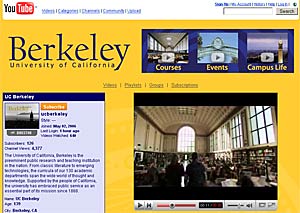
And if all of this wasn't enough, UC Berkeley is putting the entire lectures entry and mid-level courses on YouTube. (I'll be writing soon about how to download YouTube video if it is blocked in your school.) Check out the UC Berkeley channel, here!


Do you have ideas on what you would like to do with video to connect with others? Did you know that you can make videos without a video camera. Capture video with your cell phone and use bluetooth to send it to your Mac, or on the PC side, upload to your service provider and download back to your desktop. With most providers you can get 15 seconds of video per clip. Video field trip reports.... video homework.... share with anyone or everyone! There is definitely more to come...