Thursday, June 14, 2012

I am Sandpaper...

I am Sandpaper.  

Learning is a process that encompasses one thing more than anything else... friction.  How we deal with friction is an important step in how successful our students are in school.

According to Wikipedia, sandpaper has the following characteristics:
Sandpaper is part of the "coated abrasives" family of abrasive products. It is used to remove small amounts of material from surfaces, either to make them smoother (painting and wood finishing), to remove a layer of material (e.g. old paint), or sometimes to make the surface rougher (e.g. as a preparation to gluing).
When I started teaching, I felt it was my job to reduce friction as much as possible in my classes.  Scaffolded note sheets, graphic organizers, mnemonic memory devices, study guides, video, etc. Any way I could find to make the content easier for my students to learn and retain, I tried out.  And for the most part, I continued to do this for many years.  

As I became a more seasoned teacher, I found that I also needed to be sandpaper remove some of the things that students came into my class with.  In some instances it was to correct a misconception they had from previous learning.  In other cases it was to help them expose some of their own feelings and thoughts and have them look at them in reference to society as a whole.  I can remember the student in my 12th Grade American Government class in 1996 who was an ardent supporter of David Duke for President. The first time this young man made a proclamation in class in support of Duke and the reaction of his peers was one of the most intriguing times in my teaching career.  By the end of the semester, the student had at least seen the entire "David Duke" package and moved closer to the center politically.  

In other times, it was my job to create some friction that did not exist.  There are always students who are more advanced than others and become bored and disengaged.  I looked for ways to extend their learning, how to provide opportunities to add on to what they have done. I can remember students in my computer repair classes, who I gave old servers to and asked them to build out a bulletin board system for us to use in class.  

Since I have moved into a more Administrative role in my career, first as a Vice Principal at a High School and now as the Director of Technology for a High School District, I am still sandpaper.  

I smooth things to make information, data and tools easier to access for teachers and students.  I provide opportunities for them to learn with someone, or to learn independently, but to make that process as easy or "frictionless" as possible.

I also work to remove some of the misconceptions that students and staff have around the use of Technology in schools.  One of the projects we are working on is a way for teachers and students to only sign in to our network once a day and have access to all of the resources they need to be effective in their role or learning.  (Single-sign-on) When teachers and students need to sign into several different systems everyday to get access to the tools they need, there are going to be times when the barriers of that one extra sign in is going to be enough to keep them from using that tool.  

We are also working to provide a structure and a path for teachers and students to extend their own learning, by providing resources that allow them to have access to resources and other people from around the world.  To be able to communicate, share, collaborate in a space that is not defined by one's physical location or time of day.  

After all these years, I am still sandpaper.. looking for ways to reduce friction, to remove old and outdated practices and to extend and add resources for the people I work with on a daily basis.  

As always, I appreciate your comments.... 

Tuesday, May 15, 2012

More Super Coolness in Google Docs

I haven't posted on this blog much in the past few months, due to the huge lack of time with my job, but when this popped up, I had to get something out.

This is super cool, when you are writing in Google Docs, a new "search" box pops up on the right hand side, where the conversations and/or chat would be.  This becomes a "mini-browser" where you can search and insert items from the Internet, without leaving the tab that your Google Doc is on.  The window has a small search box, back and forward navigation buttons and will list information like maps, images and then will give you a list of search results.

Check out the screen shot below.


Thanks Google for providing a new tool that will make my life, and I am sure the lives of many other's much easier.

AWESOME!

Saturday, March 17, 2012

Have We Hit The Bottom? No, But We Can See It From Here.

In my post on October 26, 2011, I look did a round up of all of the tablets that are or will be available soon and what this will mean for education.  In January at the Consumer Electronics Show in Las Vegas, ASUS announced that they would be releasing  a 7" Ice Cream Sandwich tablet.  The ASUS MeMo 370t was a 7" tablet with a quad core processor and a $250 price tag.  As a Director of Technology for a medium-sized suburban school district, I saw this as a device that could realistically make 1 to 1 computing in our district a reality.  The video below is a review of the MeMo 370 from CNET.  The other major features of this device are that there micro-USB, micro-SD and micro-HDMI.  This will allow you to connect this device with off the shelf cables.  This is a huge departure from the iPad, where any device you want to connect to it, requires a "dongle" that carries an extra cost, typically $30.  As a District Director of Technology, managing proprietary dongles, on top of cables, is not something I want to do.


Since that time there have been several rumors about different devices from the Mobile World Congress held earlier this month.  One of the things that was missing, was more mention of the ASUS MeMo 370t. Yesterday, the absence of the ASUS MeMo 370t were answered.  A variety of different media sources started to report that Google has stepped in to support the 7" tablet project by ASUS and rebranded it the "Nexus Tablet."  The best part of all of the reports that have been published yesterday was that the price, instead of $250, has dropped to between $149 - $199.  This now brings the price of the tablet down to a price where schools can purchase this device, the digital textbooks for students to use with the device and save money in the process.  The best part of this is that this device is not just an "e-reader."  First of all, this device will have a camera that will function as a still and video camera.  There are photo and video editing applications already on the machine. Because it is on the Android platform, it already has tight integration with Google Apps, which will run "natively," instead of in another wrapper, like the way they do on an iPad.  This means that Google Apps will run on this device, like they do on your computer, without any extra integration.  Personally, we proved this the other night when we were able to use the full scripting function in Google Spreadsheets on an Android tablet.

OK, we have made the case that this tablet can and will provide all of the functionality necessary for a true 1 to 1 device.  We need to make the monetary case for purchasing these devices in a way where it is actually going to save school districts money. Most schools have a seven year text book adoption cycle.  This means that they purchase new textbooks for their students every seven years. In a high school, with students taking 6-7 classes, with potentially 5 text books issued to them at an average cost of $100 each.  Most of the "digital text books" that have been brought to market are sold at an average cost of $15 each.  If you used a simple equation of 5 books, at $100 each, equals a $500 cost for that student.  We know that  these books need to last for seven years and more than likely we will go through two tablets in that time frame. Therefore, 5 digital text books at $15 per book, equals $75.  If we purchase two tablets in that time frame, $150 x 2, equals $300.  Adding those two pieces together, $75 for books and $300 for two tablets, gives us a total cost of $375 and a $125 savings.

My only question now is why are we waiting.

If you have comments, questions, issues, etc. PLEASE send them to me.

Wednesday, October 26, 2011

Race To The Bottom: Tablet Wars

One of the Educational Technology issues that I have always felt very strongly about has been equity and access of technology for all students.  I was shocked to hear about the Aakash tablet that was being introduced in India.  The Indian Government is subsidizing the tablet for schools to purchase at $35 per unit.  The reports also have the tablet selling retail for $60.

 
Aakash Tablet from Venturebeat on Vimeo.

As the associated article states, this is a "leap frog" technology, which introduces a technology into a culture that has never seen a previous iteration of the technology in their lives. Think of the poorest people in the world who have never had a telephone in their lives, suddenly getting access to a cell phone, this is a "Leap Frog" technology.  The article is straight forward stating that the unit is slow in the way it processes some basic tasks, but they were very surprised when they watched a YouTube Video with no delay or buffering... WOW!

This is just the beginning of the Tablet Wars that will be played out in the market place over the next few months.  Yesterday; ViewSonic, a company best known for producing quality computer monitors, introduced the ViewPad 7e, which is a 7" tablet running Android version 2.3 and lots of extra features, including: SD Memory Card slots, HDMI output, front and back cameras and 4 GB of internal storage.  Retail Price.... $200.

About two months ago, Lenovo (the spin off of the IBM desktop and laptop computer line) introduced the  IdeaPad, a 7" Android tablet which boasts some of the same features as the ViewPad, like dual cameras and SD card slots.  The IdeaPad also has onboard GPS.

Not to be out done, Amazon has re-imagined the Kindle reader and introduced a new version called the "Kindle Fire."  It also retails for $199 and has some nifty features as well.  Amazon already has 95,000 pre-orders for the device, and with the Christmas rush, there will be plenty more sales to come.

What does all of this mean?  It means that there is a "race to the bottom" on the price of tablet devices.  Who benefits from this race to the bottom?  Our students do.  As teachers, we do.  Society does.  All of these Android devices have access to multimedia creation applications that are free and access to the Internet. With a variety of free and low cost standards based text books already available, school districts can purchase these devices with text book funds and still come out ahead. This also means that the only limitation on our teaching and our students learning is our own minds.  

So, the only question left is.... What are you and your students going to do with the world at your fingertips and a tool that will let you create anything you and your students can think of?


Tuesday, October 25, 2011

Saturday, October 15, 2011

Text Messaging: The Lost Tool In The Educators Tool Kit

One of the greatest tools that teachers never take advantage of is text messaging services, or Short Message Service, (SMS)  There are several tools available now to take even more advantage of this service that almost every student in your class has access to and if they have a cell phone this is the one thing they probably have unlimited access to, 

The first is one that was popular a few years ago, but most people don't even know it exists or completely forgot that it is still there.  Searching Google using a text message.  If you or your students have some basic knowledge of Google Search Strategies, they can get an answer anywhere, even with their "Dumb Phone." Check out Google's SMS Search Page. 

Google also has ways to interact with some of their more popular applications using SMS on their SMS Applications Page.  I think one of the best is the ability to post to a Blogger Blog from their phone using SMS.  That is something almost any kid can do and gets into the idea of authentic assessment that will definitely be part of the Common Core Standards.  Check out the demo of Blogger SMS below. 


Google Voice is another great ways to leverage SMS technologies in your classroom.  You can message your class by putting in their cell phone numbers in your Google Voice account and text them directly by sending a message through Google Voice.  The nice thing... All the students see is your Google Voice number, not your personal cell number or your personal e-mail address. 

Another cool way to interact with students via their cell phone, via SMS is a new free service called, Remind101.  Remind 101 allows teachers to create a class, the system issues a code to the teacher and then the teacher distributes the code to their class.  The best part of this is that the students never see the teacher's phone number and the teacher never sees the students cell phone number.  This gives us that level of privacy we need in education, while leveraging the tools available to teachers and students.  Check out a demo of Remind 101 below.  


Remind101 from remind101 on Vimeo.


The last tool is in private beta, but could be one that is a game changer and could put the "responder/clicker" producers out of business.  The service is called "Socrative."  What this service does is turn any connection a student has to mobile services, a laptop, smart phone, SMS, etc. and allows them to answer questions to a quiz, a true/false question in class, etc.  The other benefit is that you can see the student results come into the system in real time.  There are also some templates that you can automatically use, like "exit ticket" and more.  This is definitely worth checking out, if you are someone who has used responder systems or clickers in the past.  Check out the video below.


I have also added an infographic below that shows some of the ways that SMS or texting has changed the lives of people around the world in ways that many of us could never imagine.  Is there a way that you can change or improve your instructional practice by adding a text message every so often?  


http://venturebeat.files.wordpress.com/2011/10/planet-text.jpg?w=640&h=5125

Sunday, September 18, 2011

Skills: Mad and Necessary

Things are changing, yet they are staying the same.  The introduction of a variety of technologies, which have changed the way educational services can be delivered to students and the vast variety of ways that students can interact with that information and develop their own "reality" or "context" is probably the most important theme in education as we move forward.

It has long been understood that all students learn in different ways, whether that is in a typical classification system or something much more personal for each and every student.  It was close to 15 years ago now that I told my Advanced Placement American Government students that the most valuable commodity in the economic system they were entering was "information."  In the old educational paradigm, the one that most of us were educated in, the ability to "possess" information was the reason most teachers have their jobs.  I was initially hired as a teacher because I possessed a certain level of knowledge in the Social Sciences.  In today's economy, possessing knowledge or information is not the most important skill for today's students.  The more important skill is the ability to quickly access and evaluate information and employ it in a way that allows students to answer questions that their experiences pose to them.  

This means that students need to construct their own contexts and connections between information systems. The writings of Howard Gardner and Sir Ken Robinson illustrate the need for students to construct their own personal contexts.  Standardized tests, assess an artificial context that politicians have determined is the most important for students to have, while that may be one measurement that can be used, it is one that is artificial and cannot accurately assess the skill level of any student.  The use of rubrics in educational settings, has done quite a bit to make what was once a very 'subjective' process in assessing students personal contexts into one that is much more 'objective' and can be used to compare students' academic achievement with one another.

Employing a hierarchical structure like Bloom's Taxonomy (Cognitive and Affective Domains) can make sense of this from an academic perspective, but it is not a structure that can be easily applied in the context of traditional school.

So, moving forward, what is a structure that can allow educators to assess and knowledge, synthesis and application of the connections and contexts that teachers have? Storytelling and Folksonomies.  Storytelling and folksonomies, make it easier for the work of a variety of individuals to be compared and evaluated.  Storytelling, allows students to follow an idea or theme from beginning to end and support their context with the connections they make and how they communicate that with the audience.  The level to which they are able to connect with their audience creates a bond to their personal knowledge.  Folksonomies allow individuals to place their own filing or categorization framework on the knowledge they possess in their own minds, along with the information they can access, synthesize and create a new framework.

If you want to know what a student really knows and can employ in their personal lives, have them tell a story about it. From simple to complex.  From comical to dramatic.  From instructional to playful.  Their stories will allow them to connect their knowledge in new and different ways.  Digital technologies allow us to do this in so many new and powerful ways that we are only limited by our own minds.  My challenge to groups I do professional development sessions with is this:  Can anyone identify a project that they would like to do with their classes that cannot be completed using free technology tools?  As of yet, no one has been able to identify a project.

Why haven't we adopted this framework to move education forward?  Because it isn't easily assessed using a scantron form.

Monday, August 15, 2011

How Students Use Technology

Here is a nice infographic from onlineeducation.net.  If there was any question about the fact that the students we teach do not heavily rely on their own personal technology, this will close the argument.


Students Love Technology
Via: OnlineEducation.net

Monday, July 25, 2011

Is Facebook Looking in the Rear View Mirror?

Google+ is growing by leaps and bounds.  Current growth estimates have it at over 20 million users.  It took Facebook close to 18 months to get to the same number of users. Facebook has definitely paved the way for services like Google+, but because of the tight integration with all of the other Google services and the ability to video chat in a split second, Google+ will continue to grow rapidly.  Google+ may never overtake Facebook, but it will definitely be "THE TOOL" for those of us who use technology as an integral part of our business and social lives.

Sunday, June 12, 2011

The Lost Generation

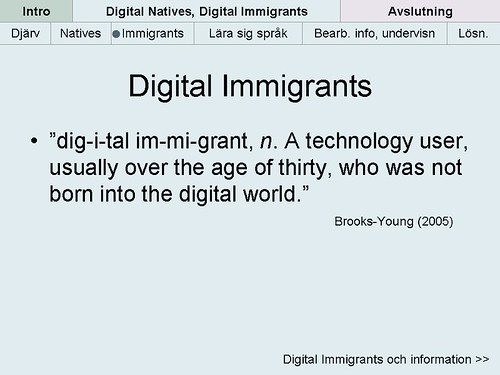
Ten Years Ago, we were introduced to the idea of Digital Immigrants and Digital Natives.  We were told that people who were born before 1990 were Digital Immigrants, because most of their education will have taken place before the ubiquitous use of technology in our lives.  Marc Prensky, the author of the paper, stated that teachers, who were Digital Immigrants, needed to change their instructional strategies to reach the student they were now teaching who are Digital Natives.  While on the surface, this looks like a logical explanation to a problem, but in reality it has had the opposite effect on our educational system over the past ten years.  Marc Prensky's premise has given an entire generation of educators an excuse to not keep up with the current trends in their profession and allow the way we to educate children to remain unchanged since the early 1900's assembly line brought to popularity by Henry Ford's automobile factories.  While I know it was not Marc Prensky's intent to create a system where we perpetuate the past, it has in effect created a Lost Generation of Educators, where they have used the label of "Digital Immigrants" as an excuse for not being able to learn the necessary Educational Technology skills requisite to teach the students of the 21st Century.

I have been involved in Educational Technology for the past 20 years of my professional life as an educator. I have seen hundreds of thousands of dollars spent on educational technology during this time, some of it very well spent, but unfortunately much of it spent in ways that do not improve teacher's professional practice or student achievement. There are a variety of reasons we can analyze in an attempt to answer why we haven't been more successful with Educational Technology initiatives, but in reality it comes down to a few very simple premises.

First, there have been a lack of professional standards put in place for teachers to meet.  The first ISTE NETS standards were published in 2000, but had little or no traction in schools or districts.  We can look  at why teachers did not adopt the ISTE NETS standards, but in reality it comes down to the simple fact that teachers, like employees in all other businesses, will only do what they are evaluated on.  Since these standards were not included in a teacher's evaluation, they did not feel the need to abide by them.  In most cases, we need only to look at NCLB and the conditions the Federal Government placed on schools with high-stakes testing to understand why districts put the ISTE NETS standards lower on the list of instructional priorities.  ISTE revised their NETS-T standards in 2008, updating and making the standards more specific.  We are seeing some adoption of these standards in isolated schools in districts, but that is more dependent on school or district leadership. This leads to the second premise...

At the present time, we do not have enough administrators who can adequately assess whether teachers are successfully integrating technology into the educational process.  This was one of my primary motivations for becoming an administrator.  In California, there is a very specific piece of the "California Standards for the Teaching Profession" (CSTP) that states: "Using materials, resources, and technologies to make subject matter accessible to students." I watched year after year administrators mark "has met" on teacher evaluations for this Key Element when all they had done relative to technology was to post their syllabus on line.  Administrators didn't have any requirements for their own professional practice until there were some standards established by ISTE in 2009.  Even with the establishment of standards for Administrators, there has been no rush by most to work towards attaining these standards.  There are some administrators who will say quite confidently that, "the younger teachers coming in have grown up with technology and don't need professional development or to be evaluated on its use." I will tell you very simply that the teachers coming into the system know how to use technology for their own personal use, but have no idea how to integrate technology into instructional practice.

The last issue that needs to be addressed is the "squeeze factor."  The squeeze factor is that the students are integrating new technologies into their academic lives, but that the teachers are unfamiliar with these tools and either completely ban or severely regulate their use.  There are a variety of reasons that can be identified as to why teachers and schools are doing this, but you can boil all of them down to "the fear of the unknown." There are many teachers who don't know what these tools can do and how their use will effect the curriculum, so they will "squeeze" them out of practice.  Students will continue to "squeeze" them back in with some accepting teachers, but there has been no wide scale adoption of personal technologies in schools.  Think of the fact that, given the current rate of "smart phone" penetration, close to 90% of high school students have a device that they can use to access the libraries of the world and access rich educationally appropriate content with them everyday.  Students are more likely to have their "smart phone"with them, than they are to have remembered to bring their text book that day.  (Pew Internet and Life Project)


  These technologies allow students to complete the assignments that teachers have used over the last 100 years in a fraction of the time. A quick example would be asking students to look up 30 vocabulary words in the dictionary, this would be a task that would take students a decent amount of time using a hard bound dictionary.  Using a smart phone, most students would complete writing out the definitions of 30 vocabulary words in 1/3 the time or less.  So, really what does this mean?  Teachers, you could recover tons of instructional time and teach more... yes, MORE!  


The last point to make here is to ask the question of why?   Why won't teachers embrace the use of these technologies?  Why won't teachers allow students meet the course requirements in new and different ways using technology?  Why have students had the tools they use to access all types of media and information outside of school taken away from them as soon as they walk on campus?  Fear of the unknown.  Plain and simple...  Anything that takes away from the teacher being the person who possesses the information in that particular academic discipline is going to be met with resistance.

The answer is that we can't re-form education, we need to create a new educational model. Schools don't need an incremental upgrade, what they need is a Forklift Upgrade.  We need administrators who are willing to move forward and trust some educators, who are actually doing what needs to be done. The key to all of this is trust.  Those schools and districts who have trust and work collaboratively with administrators, teachers, students and the community will reap the greatest benefits in the years to come.

As always, your comments are welcome.

Saturday, June 11, 2011

Transferring the Model Downward

While many college students have had the opportunity to take online classes, those opportunities have been very limited for high school students. Most school districts have looked for ways to make sure the education students receive in these courses meets their standards.  This is something that is going to happen, the only questions we need to answer is when and how?  Take a look at this infographic to see where online education can make additional inroads into the high school arena.


How the Internet is Revolutionizing Education
Via: OnlineEducation.net

Sunday, April 03, 2011

The Tool Box of the Internet has Gone to the Birds

We have finally arrived.... We are free and most of us don't even know it.


Software and compatibility issues have been a thorn in the side of educational technology for years.  I can remember when I was a Technology Coordinator and a student would get a new computer for Christmas and sometime in January or February of the next year they would bring in a disk with a paper that they had typed on their new computer and try to print that paper at school.  The paper wouldn't print.... why?  Because most PC's came with Microsoft Works, instead of Microsoft Office, which was the word processor that was installed on the machines at school.  There were several ways to work around this, but it was difficult and frustrating for both the student and their teacher.  It reinforced the idea in the minds of students and teachers that using technology in class was hard and difficult.  This was also an issue that occurred on Macintosh computers as well, since there were many schools where the only Apple based computers were in a lab dedicated for some type of creative content creation. (Video, Graphics, Multimedia, etc. ) This is no longer the case.....  The issues with Microsoft and Apple will still exist, but one simple way around it is to use Google Docs and other Google Tools.  If you have Google Apps for Education, you have some pretty cool free instant add-on's that will provide even more tools and services for FREE. 

So, looking at all of the things that schools and students spend their money on, software is no longer something they should spend their money on for students or teachers.  Google tools are also better because they are available 24/7/365, absolutely anywhere there is a computer and an Internet connection.  (See my last post about "Where are Your Black Holes")

Here are the applications that most schools currently use and what are their free Google equivalents. 


- Microsoft Word - Google Documents:  Can upload and download .doc and .docx files. 

- Microsoft Excel - Google Spreadsheets:  Can upload and download .xls and .xlsx files.  There are fewer functions available in the Google Docs version of the spreadsheet, but it is enough for most users.  There are also some very cool Google Formulas you can use.

- Microsoft PowerPoint - Google Presentations:  Can upload and download .ppt and .pptx files.  One of the benefits of Google Presentations, is that it is much easier to add images and video into your presentation. 

- Besides the typical applications, Google also has G-Mail, Calendar and Sites, which all integrate with the other Google Apps.  For example, you can attach a document to a Google Calendar entry or you can integrate a Google Form, a YouTube Video or a Google Calendar into a Google Site.


-Speaking of YouTube, there is a new online YouTube Video Editor that allows anyone to upload their video from any source and edit it online.  There are some music you can add and some basic transitions you can use between clips, but to teach the basics to video editing for students this is a great introduction.


The newest set of Google Tools comes from another company that has intentionally built their set of tools to quickly and nicely integrate into the Google Apps platform. The Aviary Suite of content creation tools.  If you have a Google Apps EDU domain, you can even have the Aviary Suite integrate into the Google Docs menu and you can save all of these files in your Google Docs account.

- Photoshop (picture editing) - Google does basic image / picture editing with Picasa and Picnik, but in Google Apps EDU you can add on Aviary and use the Phoenix and Raven applications within Aviary to create layer based vector graphics like Photoshop creates. 

- Screen shots:  Microsoft and Apple both have basic screen capture tools within the operating system and there are some good free tools like "Skitch" to do screen shots and then edit and annotate them, but you can also use Falcon and Talon from Aviary, which are add-on's for the Firefox and Chrome browsers that will produce screenshots and the tools to annotate them.

Garage Band / Audacity - Aviary also has tools to edit Audio and create Music.  Roc for music creation an Myna to edit audio files for podcasts.

So, with all of these free tools, there is no limit as to what you, and your students, can do with a computer and an Internet connection.  Everything I have mentioned in this post is free.  What could you do?  What will you do?  How will this change the way you teach?  I would like to hear from you. Post a comment with your ideas and suggestions.

Saturday, March 26, 2011

Where are Your Black Holes?


Over the past twelve years, I have been fighting the same fight.  I have long been an advocate of teachers integrating the use of technology into their professional practice, but the excuse that most teachers I spoken to about this have used the same excuse for not wanting to jump into the EdTech waters.  "I'm sorry,  not all of the kids have access to the technology or they don't have access to the Internet in their homes and it isn't fair to them."  This was an excuse in 1999, when I first became the Technology Coordinator at Capuchino High School and it is an even bigger excuse today.  Equity and access issues have been at the forefront of the battle I have waged to make sure that every student has access to technology.  Why?  Because I believe that giving students access to the libraries of the world and any information 24/7/365, is the great equalizer of our time.  I also did everything I could to provide the technology and access to the Internet to the students I worked with through the Digital Bridge program.


The video above, from the TEDxNYED (Technology Entertainment Design x New York EDucation) Will Richardson talks about the importance of the Internet on the lives of our children.  Will talks about how our children use the Internet to learn on their own, without the use of teachers.  They search the Internet to solve real problems, as they occur in their lives.  It could be as easy as who was the 16th President of the United States, or as complex as how to solve a quadratic equation with multiple coefficients.  In this video, Will talks about how his daughter learned how to play Journey's "Lights" on the piano.  As teachers, we need to realize that this is the way our students learn and in turn, how can we best teach our students given their desire to be constantly connected to a variety of electronic resources.

So, to bring this back to the issue of equity and access, how can we level the playing field and make sure that all students have access to the wealth of resources that are available to them on the Internet?  We have between 85 and 90% of the students we teach carrying cell phones and most of these devices can access the Internet.  The cost of computers, especially netbooks and tablets are low and are continually dropping closer and closer to the $200.00 mark. Free access to the Internet is becoming more and more available, yet there are several areas where this access is lacking.  The map below, taken from Ji-Wire (www.jiwire.com) a site that shows free and paid wireless access for any area around the world,  shows a large area in the Woodside High School attendance area that does not have any access to free wi-fi access.  Why?  The area that is outlined is an area that has plenty of retail businesses and homes, but it is a lower socio-economic area.


This to me is a "black hole."  A black hole where the light of the information available on the Internet does not enter.  The people who live in this area are more than likely, people of color and mostly Latin American.  One of the more pressing issues facing education is how to bring light into the Black Holes that exist in our communities.  Can we talk to the public libraries, Boy's and Girl's Clubs, YMCA's and other public agencies to provide free wireless access in their buildings for students?  Can we talk to the independent coffee shop, ice cream store, fast food restaurant to add free wi-fi or to open up their existing wi-fi for their customers, mostly the students we teach.

So, where are your "Black Holes" and what can you do to bring light to them?

3/30/11 - One of the things I left out in the post was that one of our district's "Black Holes" was the city of East Palo Alto, but there is some light there now with the Wifi101 project, that has blanketed the community with free wi-fi with towers on public buildings and apartments where the owners have granted them space.  The group also takes in computers and refurbishes them and donates them back to the community.

There is another group doing this in the city of Richmond, across the bay from us.  Building Blocks is a non-profit that provides computers and Internet access to families who could not afford their own access. Here is a video about their project in Richmond.

Wednesday, February 09, 2011

2011 - The Year Education becomes Flat

It's been almost 6 years since the initial publication of Thomas Friedman's "The World is Flat."  This is  one of the books that transformed me as an educator.  There are others that I read before it (Negroponte's "Being Digital") and others that I read after it (Shirky's "Here Comes Everybody"), that had a profound affect on me, but it was the one book that was truly transformative.  The World is Flat is a book that talks about the forces of change and clearly delineates how these forces will change the world.

As most professional educators know, it takes 5-7 years for things that are common place in business to even get a basic or cursory usage within education.  Well, that is where we are now....

The 10 Flattners that Friedman spoke about in "The World is Flat" were directly related to society as a whole and the first three directly related to historical events that occurred to create the openness necessary to allow the final 7 "flattners" to take place.  The first flattner, "The fall of the Berlin Wall," is an extremely important event, because it eliminates the competition of socialist societies.  In education, we are wholly controlled by the government from management to funding, therefore any advances that run contrary to the current government structure are banned.  The one flattner, that has had the greatest affect on education is the rise of Open Source and Free Software.  Friedman talks about software like the development of the Netscape web browser and the development of other open source projects like the Apache web server software and Linux operating systems.  Now, we are seeing a convergence of many of these tools into one, which has brought the price of Internet connected devices down and made them more common place than they had been before.  The most interesting of these new devices is the Chrome Notebook.  It is a netbook computer, which has retailed for as low as $250 with Windows pre-installed.


A Chrome netbook, is running the Google Chrome operating system, no Windows, and runs much faster than typical devices because all of the data is stored on Google's Internet servers.  The anticipated cost of a Chrome Netbook is expected to be in the $250 range.  If Google could deliver this to school at a cost less than $200, it would be a game changer.

Here is an explanation of the Chrome OS.


I am also going to take a look at the equity and access issues in society and how things are quickly becoming more and more accessible for all and they are all FREE.

Sunday, January 02, 2011

New Year - New Tech Strategy - Week 1

With the beginning of the New Year, we all make some resolutions that we want to make this year a bit better than the last.  I am no different in this regard, I tweeted this afternoon that my New Year's Resolutions were to Tweet once a day, Blog once a week and to work on being healthier by joining Steve Dembo's Fit42 Fitness Challenge.  I am hopeful that I will be able to achieve all of these goals.  In the Blogging arena, I am going to resurrect this blog.  I had posted regularly between 2005 and 2008, but when I took the position as the Administrative Vice Principal at Woodside High School, it left me little time to blog.

 I have continued to present at a variety of Education Conferences in California and I have done some presentations for CUE, in their CUE to You program.  I was also elected to the CUE Board of Directors in April 2010, so I have continued to be very active in the EdTech community, but I have been less on the cutting-edge than I had been in the past and I realized that I very much miss the implementation of new and emerging technologies in the educational process and having conversations with my colleagues, local and around the world.  I am hopeful that this blog will allow me to jump back into the conversation and re-engage with all of you.

With that said..... here we go!


One of my rallying cries over the past several years has been to increase the amount of technology that is used as part of the educational process.  I have been a huge proponent of this since the mid-1990's.  I have always had to deal with some teachers that refused to integrate technology into their classes for a myriad of reasons.  One of which was always access and the other was that because they were "seasoned" teachers they couldn't learn how to use technology like their younger counterparts.  Teachers in this group typically held up copies of Marc Prensky's "Digital Natives, Digital Immigrants," as a justification of their position.  While I think that Marc Prensky is an intelligent man, I want to let him know that while he may have just identified behavior that he observed in educational settings, he set the integration of technology into education back at least 5 years.  I know that there are other factors that come into play, including: unions, finances, professional development, standards, NCLB, etc., but the "Digital Natives, Digital Immigrants" gave teachers the easy out.

Next week.... Access, Access - 2011 is going to be the year when we get so close to "ubiquitous access" and there won't be any more excuses.

Sunday, August 29, 2010

The First Penguin

 I have spent the past couple of weeks getting through Randy Pausch's "The Last Lecture."  I have found it to be real, poignant and inspiring.  If you aren't familiar with the book or the theme; Randy, a computer science professor working in the virtual reality field at Carnegie Mellon University, has found out that he has pancreatic cancer and will soon succumb to the disease.  The book is a collection of his hopes for his wife, family and students.  He delivers these in a "Last Lecture" at Carnegie Mellon for his students.

In most computer science fields, those who are really at the cutting edge of the field have to take risks.  Many times expending time and energy in projects that won't work.  To recognize his students who were attempting to create something new and exciting, but failed to get the desired result, he created the "First Penguin Award." (p.148-149) When in the Antarctic, Penguins travel in groups, but there always must be a "First Penguin" that dives into the water without knowing what is there.  There could be predators that could quickly feast on that first penguin, but the first penguin also gets an opportunity to make a mark in the field and learn so much in the process.   Randy would award the group in his class with the most spectacular failure a stuffed penguin as a recognition of their efforts.


In the Educational Technology field, there are plenty of "First Penguins" out there, who can assist those coming into the field in how to navigate through the issues that arise anytime you try something new as an educator.  Randy starts the section with the quote, "Experience is what you get when you didn't get what you wanted."  Some have had some huge successes after some initial failures, and some continue to be that "First Penguin" working to make a difference in a field where the institutional predators are often times the most dangerous.  When I eventually become a principal at a high school, I will be looking for some "First Penguins" to come to my school.  Fortunately, I will be able to give them some assurances that I have cleared the water of some of the typical predators.

Friday, July 09, 2010

Sifting Through Infowhelm


Over the past several months I have definitely been experiencing "Infowhelm." In my position as the Administrative Vice Principal at Woodside High School, I don't have as much time as I used to to explore everything that was happening in the "EdTech Blogosphere." And there were a lot of things going on besides school, I was on the road a little bit presenting at the annual CUE conference in Palm Springs in March, a few one day professional development sessions, a three day session with Administrators in Georgetown, KY and getting elected to the CUE Board of Directors.

So, my personal professional development took a back seat as evidenced by the lack of posts on this blog and the number of items in my Google Reader account growing to over 1,000 several times during the past 6 months. As you can see from the graphic on the left, my Google Reader account now has no unread items in it. No, I didn't hit the "reset" switch by clicking on "Mark all items read." You can see that there are certain things I found interesting during the past 6 months, but taking a peek at my "Shared Items" list in Google Reader.

One of the items in this list is a short video that was shared by Lucy Gray, a great educator from Chicago, whom I have never met, but we have definitely traveled in the same circles in EdTech. The video illustrates the exponential growth of information in our society today and points out that we are still largely teaching "content" in schools instead of "Information Fluency" skills.


Will Richardson posted this morning on the same topic. What are we teaching? Are we teaching kids how to be better test takers? Are we teaching them how to get into the college of their choice? What should we be teaching them? In my mind, we need to change that paradigm and start teaching skills that will allow them to possess the skills that will be necessary in the economy they will be competing in. Thinking, evaluating, collaborating, applying skill, problem solving, etc. Or as Seth Godin sets forth in his book that is my current reading material, Linchpin, that "schools should teach students how to solve interesting problems."

One way I have seen recently to teach students how to solve interesting problems has been the work of Dan Meyer and his presentation at TEDxNYED. His 4 step process is clearly laid out in the presentation below.


I hope that some of you will see this an comment about where we should be going and how do we get there. I welcome your comments.

Saturday, December 26, 2009

We Have No Excuse!


Over the past few days, while I have been on break, I have been mulling around the blogosphere looking at all of the things that have been going on. I got completely caught up on reading everything in my Google Reader and even engaged with David Jakes, Gary Stager and others over the validity and the content of a GTA designed for Administrators. I know it has been awhile since I have posted anything here, but I want to post more as my time permits.

This post may not be something that my colleagues in education will necessarily agree with, but in the words of Kathy Sierra, its time to "get out of default mode." I am seriously thinking of using the slogan when I present on the last day of the CLHS Statewide Conference in Monterey, CA on January 17, 2010.

So, here we go! We have no excuse any more. Teachers need to get out of default mode. I am tired of teacher's complaining that they cannot assign any Internet based assignments because students do not have access at home. At the present time, any student that does not have access to the Internet does not have it because they have chosen not to have access. This is despite the economic situation of their families.

Currently, Walmart is advertizing an e-Machine's Netbook for $228 and have an Acer Netbook for $298. The prices are so low that the major cell phone services will give you a free or low cost netbook in exchange for a two year service agreement. (AT&T and Verizon)

The locations offering free Wifi is increasing by the day. McDonald's (12,804 locations in the US) just announced that they will have free Internet access starting during January 2010. Starbucks (11,068 locations in the US) has offered 2 hours free per day, in exchange for registering your card and using the card once a month. Barnes and Noble has 777 locations and Borders Books has 517 locations offering free Wifi. Panera Bread has 1,272 locations in the US offering free Wifi. Add to this number locations at Public Libraries, Apple Stores, Schlotsky's Deli, Daily Grind and the variety of independent businesses offering free Wifi, there is simply no excuse any more. In my local community, there are two cities that have municipal Wifi networks. (Mountain View and East Palo Alto)

If there are still barriers, the one technology that people in the lower socio-economic groups have adopted in large numbers has been the cell phone. Over the last two years, 2007-2009, the number of smart phones (iPhones, Droids and BlackBerry's) has increased by 20% per year and will account for close to 150 million cell phones in the US by 2013. Will Richardson's post earlier this month about allowing students to use their own connection, is borne out by these numbers.

So, if there are those teachers in the profession who still want to hang on to the argument that they will not assign students work that necessitates students using Internet resources, please send them my way. I have a few resources I would like to share with them.

Friday, July 31, 2009

Global, Mobile, Ubiquitous and Cheap


Those four words have been the rallying cry for most of Clay Shirky's recent talks at TED@State and other venues recently, speaking about how the media landscape is changing at a rapid rate. In one of my previous posts I mentioned the video you can watch on the subject along with the keynote presentation I did at the Harker Teacher Institute in June. In that keynote, "Jumping the Educational Shark," a reference to the social phenomena that Skirky identifies as the "cognitive surplus" of time that people in industrialized countries had after World War II that was taken up by the "sitcom." And my own reference to the phrase "Jumping the Shark," which is common in television, when a show has peaked and is definitely beginning to slide into the abyss and is making one last effort to bring viewers back before the show is eventually cancelled.

My point in the keynote was to express the idea that the educational community has many people trying desperately to hold on to the old industrial model of education that resembles an assembly line, but not recognizing that it is no longer useful to prepare students for the world they will live in during their adult lives. One of the arguments of this group was that we couldn't assign students work to do using computers or the Internet because not all students had access to those tools. Access has been improving steadily over the past few years and now, I truly believe this argument is no longer valid. If students want a computer, they cost about as much as a cell phone and if they want to use that device to access the Internet, there is free access at at variety of locations. This came into focus for me over the past three days. First, I read that Barnes and Noble is another national business, along with Panera Bread and Starbucks that is providing free Internet access to their patrons. Secondly, all of the public libraries in San Mateo County, where I teach, provide free wifi access as well. Third, the City of East Palo Alto, where some of our neediest kids live, has a free municipal wifi program that covers most of the city, called "wifi101." (Here is a link to their coverage map.)

Along with these developments, the Pew Internet and Life Project published a new report about how people are accessing the Internet and more than half (56%) have done so using a wireless connection through a phone or wifi. Some may say that the number is low, but there are some issues that are brought to light when you dig a little deeper. The first is that the use of wifi or accessing the Internet through a 'smart phone' has been completely demystified. It is common place in our society and people can assist those who are trying to make the leap into the wireless world. Secondly, the group showing the greatest percentage of gain is African Americans.
"African Americans are the most active users of the mobile internet – and their use of it is also growing the fastest. This means the digital divide between African Americans and white Americans diminishes when mobile use is taken into account."

So, to me the divide has been bridged. If a student wants access, it is available. They might need to jump through a hoop or two, but there is access and in most instances it is free. What does this mean to education, especially in my school. The on-going rhetoric from teacher's that they cannot assign work to students that would require them to access the Internet or use some type of technology is no longer valid. To me, as an administrator, the message is clear: Teachers you need to move forward and use these tools to engage students in the educational process. A blog post that crossed past me this week says it about as good as I could ever home to. It is from the "TeachPaperless" blog and it is titled, "Top Eleven Things Teachers Need to Know About Technology."

Image: www.thumbjockey.com